Introduction
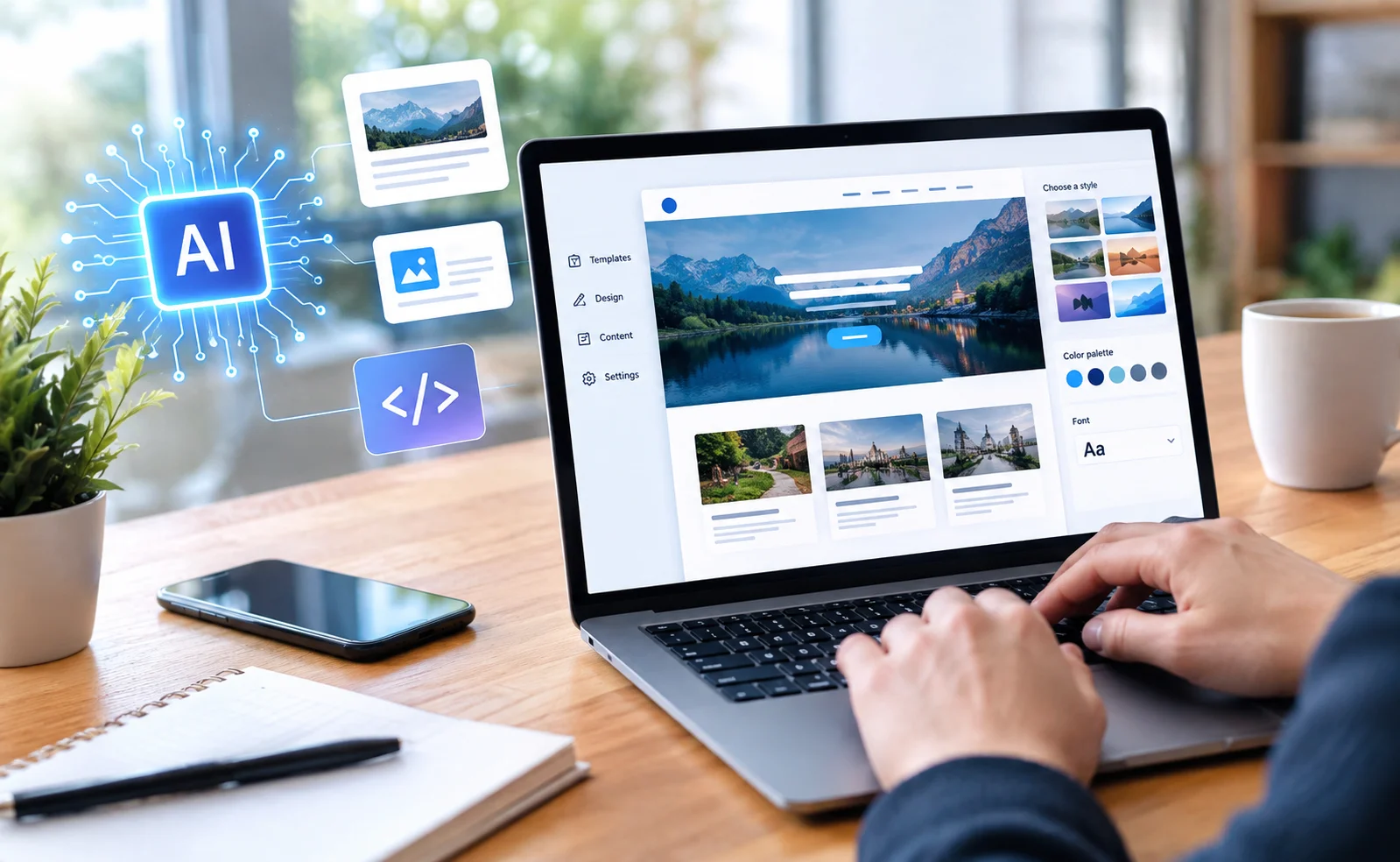
Creating a professional website no longer requires advanced programming skills or years of experience in web development. Thanks to artificial intelligence (AI), beginners, small business owners, freelancers, bloggers, and entrepreneurs can now build attractive websites with much less technical effort.
In the past, creating a website often involved learning HTML, CSS, JavaScript, and other programming languages. People also needed to understand website hosting, responsive design, page layouts, and user experience. Today, AI-powered website builders and design assistants can simplify many of these tasks.
From generating website layouts and writing content to suggesting color combinations and improving search engine optimization, AI tools can help turn an idea into a working website. However, building a successful website still requires human creativity, careful planning, and proper quality checks.
In this guide, you will learn how to use AI to create a professional website without coding, which tools can help, and what you should consider before publishing your website online.
What Is AI Website Creation?
AI website creation is the process of using artificial intelligence tools to plan, design, develop, and improve a website. Instead of manually building every element, users can describe their requirements in ordinary language and let an AI-powered platform generate an initial website structure.
For example, imagine that you want to create a website for a digital marketing agency. You could enter a prompt explaining your business, services, preferred colors, and target audience. An AI website builder may then generate a homepage, service sections, contact forms, and a suggested visual design.
Depending on the platform, you may also receive AI-generated text, images, navigation menus, and mobile-friendly layouts.
The result is a starting point that you can customize without writing code. Some advanced features, integrations, or highly customized designs may still require technical assistance.
Why Should You Use AI to Build a Website?
AI-powered website creation offers several advantages for people who want to establish an online presence.
1. No Programming Knowledge Required
One of the biggest benefits is that beginners can create websites using visual editors and simple instructions. You do not need to understand programming languages to arrange sections, change colors, upload images, or edit text on most no-code platforms.
2. Faster Website Development
Traditional website development can involve planning, designing, coding, and testing several components separately. AI tools can accelerate the early stages by producing draft layouts, content ideas, and design suggestions within minutes.
The amount of time saved depends on the website’s complexity and how much customization is needed.
3. Lower Initial Development Costs
Small businesses and individuals may not have the budget to hire a complete web development team. Many AI website builders offer starter plans or free trials, allowing users to experiment before paying for premium features.
However, a custom domain, hosting, business email, advanced integrations, or paid templates may involve additional costs.
4. Professional Design Suggestions
AI tools can recommend fonts, color palettes, spacing, page structures, and visual elements. These suggestions can help create a more consistent design, particularly for users who have little design experience.
5. Easier Content Creation
AI writing assistants can help draft headlines, product descriptions, service pages, frequently asked questions, and blog posts. You can then edit the drafts to match your brand’s personality and provide accurate information.
Best AI Tools for Creating a Website Without Coding
Different tools serve different purposes. Some generate complete websites, while others help with design, content, or specific parts of the development process.
1. Wix AI Website Builder
Wix offers AI-assisted website creation features that help users develop a website based on their goals and preferences. It can help generate an initial site structure and provide tools for editing pages, adding business features, and managing website content.
It may be useful for small businesses, personal brands, service providers, and portfolio websites.
Website: https://www.wix.com/
2. Hostinger AI Website Builder
Hostinger’s AI website builder is designed to simplify website creation through guided setup and AI-assisted generation. Depending on the available plan, users can generate website layouts and content, customize their designs, and connect a domain.
It can be a practical option for beginners who want to build a business website, portfolio, or simple blog.
Website: https://www.hostinger.com/
3. Framer AI
Framer provides visual website design tools with AI-assisted features. It is particularly useful for creating modern landing pages, startup websites, portfolios, and design-focused business websites.
Users can start with an AI-generated layout and refine its typography, spacing, colors, and other visual details using the editor.
Website: https://www.framer.com/
4. WordPress
WordPress is a popular website publishing platform that supports blogs, business websites, online publications, and many other types of projects. AI features can be added through compatible plugins, themes, and external writing or design tools.
Unlike a fully hosted website builder, WordPress requires you to choose the appropriate version and hosting arrangement. WordPress.com and self-hosted WordPress.org have different setup and management requirements.
For bloggers and online publishers, WordPress can provide considerable flexibility in managing articles, categories, menus, and search optimization.
Website: https://wordpress.org/
5. Canva
Canva is useful for creating website visuals, banners, graphics, promotional materials, and simple websites. Its visual editor and AI-assisted design features can help beginners develop a consistent brand appearance.
It is particularly helpful for landing pages, personal portfolios, event pages, and basic online presentations. A more complex website may require a dedicated website builder or content management system.
Website: https://www.canva.com/
Important: Features, pricing, free-plan limits, and available AI capabilities can change. Compare the current plans before selecting a platform.
Step-by-Step Guide to Creating a Website With AI
You can follow the steps below to build a website even if you have never created one before.
Step 1: Decide the Purpose of Your Website
Before choosing a tool, identify what you want your website to accomplish.
For example, you might want to create:
- A technology news website
- A personal portfolio
- A small business website
- An online store
- A blog about travel, finance, or lifestyle
- A website for a digital service
Your goal determines the pages, design, and functionality you will need.
A technology blog, for example, may require article categories, author information, a search function, and featured images. An online store will need product pages, payment options, and order management.
Step 2: Choose an AI Website Builder
Select a platform that matches your experience, budget, and website requirements.
If you want a simple business website, a hosted AI website builder may be sufficient. If you plan to publish articles regularly and need greater control over categories, plugins, and publishing workflows, WordPress may be worth considering.
Before committing, check whether the platform supports your preferred domain, mobile editing, SEO settings, contact forms, analytics, and future expansion.
Step 3: Write a Clear Prompt for the AI Tool
A detailed prompt helps the AI understand the website you want to create.
Instead of entering a vague instruction such as “Make me a website,” explain your business, audience, design preferences, and required pages.
For example, you can use this original prompt:
“Create a modern, responsive technology news website for readers interested in artificial intelligence, software, smartphones, and digital innovation. Use a clean layout, readable typography, a simple navigation menu, a featured stories section, article category pages, an About page, and a Contact page. Include space for relevant images, author details, and newsletter signup. Prioritize mobile usability, fast loading, accessibility, and clear navigation. Use a professional visual style with a consistent color palette.”
You can adapt this prompt for your business or personal project.
Remember that the first result is a draft. Review the generated design and make changes before publishing.
Step 4: Generate the Website Layout
Once you submit your instructions, the platform may generate a homepage and other website sections.
A professional homepage commonly includes:
- Header: Your logo and main navigation menu.
- Hero section: A clear headline explaining what the website offers.
- Main content: Your services, latest articles, products, or key information.
- Trust elements: Relevant credentials, genuine testimonials, or business information.
- Call to action: A clear next step, such as contacting you or reading an article.
- Footer: Important links, contact details, privacy information, and social profiles.
You do not need to accept every design decision made by the AI. Remove unnecessary sections, improve the page hierarchy, and keep the layout focused on visitors’ needs.
Step 5: Customize the Design
A website may look attractive at first but still need refinement. Use the visual editor to adjust its appearance.
Choose a small, consistent color palette. Use readable fonts and maintain enough spacing between sections. Make sure buttons look clickable and navigation labels are easy to understand.
Avoid placing too many animations, pop-ups, or competing elements on the same page. A simple and consistent design often makes information easier to find.
Use your own logo and brand identity wherever possible. For photographs and graphics, select assets that you have permission to use.
Step 6: Create High-Quality Website Content With AI
AI writing tools can help you prepare the first draft of your website content.
For example, you can ask an AI assistant to draft:
- Homepage headlines and introductions
- About Us pages
- Product or service descriptions
- Frequently asked questions
- Blog article outlines
- Contact page instructions
- Meta titles and meta descriptions
For better results, explain the intended audience, desired tone, important facts, and purpose of each page.
However, do not publish every AI-generated sentence without reviewing it. Check facts, remove repetitive language, correct grammar, and include information that reflects your real business or experience.
Content should help visitors solve problems or answer questions rather than simply fill space.
Step 7: Add Relevant Images and Graphics
Visual content can make a website more engaging and help readers understand a topic.
You can use AI image-generation tools to create original illustrations, concept visuals, and certain types of promotional graphics. You can also use your own photographs or properly licensed stock images.
Choose images that support the page’s purpose. For instance, a technology article about AI automation might feature a realistic office environment with a person using a laptop and interacting with digital tools.
Pay attention to image quality, file size, and accessibility. Compress large images where appropriate and add descriptive alternative text to meaningful images.
Copyright tip: AI-generated images are not automatically guaranteed to be free of legal restrictions or similarities to existing works. Review the tool’s terms, avoid copying another creator’s distinctive work, and verify the usage rights for every image you publish.
Step 8: Make the Website Mobile-Friendly
Many visitors access websites through smartphones and tablets. Your website should work properly across different screen sizes.
Check the following elements:
- Text remains readable on small screens.
- Menus open and close correctly.
- Buttons are easy to tap.
- Images fit their containers.
- Forms work without unnecessary zooming.
- Important content does not disappear on mobile devices.
Most modern website builders provide responsive layouts, but you should still test the actual pages on different devices or screen sizes.
Step 9: Improve SEO With AI
Search engine optimization (SEO) helps search engines understand your pages and makes it easier for people to discover relevant content.
AI can assist with keyword research ideas, article outlines, title suggestions, internal-linking plans, and content improvements.
For a website about artificial intelligence, relevant topic areas might include AI tools for beginners, AI productivity software, website automation, and practical uses of machine learning.
Use keywords naturally in page titles, headings, introductions, and descriptive text when appropriate. Create useful internal links between related articles and write clear meta descriptions.
Also ensure that your website has a logical structure, descriptive URLs, a sitemap where appropriate, and no unintended indexing restrictions.
AI-generated content is not automatically search-engine friendly. The content should be helpful, accurate, original in its presentation, and created for readers rather than solely to manipulate rankings.
Step 10: Add Essential Website Features
Depending on the purpose of your website, you may need additional features.
A business website may require a contact form, service pages, a booking system, or customer testimonials. A blog may need article categories, author profiles, social sharing, and newsletter subscriptions.
An online store will need suitable payment processing, product management, order notifications, and clear policies.
Only add features that support your goals. Every additional plugin or integration can create more work for maintenance, security, and performance.
Step 11: Connect a Domain and Publish
A domain name is the address people enter to visit your website, such as example.com.
Choose a domain that is memorable, easy to spell, and appropriate for your brand. Check its availability through a domain registrar or your website platform.
Depending on the platform, publishing may involve selecting a hosting plan, connecting the domain, configuring DNS records, and enabling HTTPS.
Before launching, test the main navigation, forms, links, images, and page layouts. Check that visitors can access important information and that your website displays correctly on mobile devices.
Step 12: Maintain and Improve the Website
Launching a website is only the beginning. Regular maintenance helps keep it useful, secure, and up to date.
Review your content periodically, remove outdated information, update software and plugins, monitor performance, and fix broken links.
Use website analytics and search performance reports to understand which pages attract visitors and where improvements may be needed.
AI can help identify content gaps, suggest new article ideas, and draft updates, but important changes should be reviewed by a person before they go live.
How to Create a Website Using AI for Free
It is possible to begin website creation without paying immediately, although the available features depend on the platform.
Here is a simple approach for beginners:
- Choose a website builder or publishing platform with a free option.
- Use its AI features, if included, to create an initial design.
- Customize the layout and replace placeholder text.
- Add your own content and permitted images.
- Test the site on mobile and desktop screens.
- Publish using the platform’s free address, if available.
Free plans may include platform branding, limited storage, restricted AI credits, or no option to connect a custom domain. A professional business website may therefore require a paid subscription or separate hosting costs.
If you are starting a blog, compare the long-term publishing features and expenses before selecting a platform. Moving a website later can require additional effort.
Common Mistakes to Avoid When Building a Website With AI
Although AI can simplify website creation, several mistakes can reduce the quality of the final result.
Publishing Unedited AI Content
AI may produce inaccurate claims, generic explanations, or repetitive paragraphs. Read every page carefully and verify important details before publishing.
Using Too Many Design Elements
Adding excessive colors, animations, and decorative sections can make a website confusing. Keep the design consistent and focus on usability.
Ignoring Website Speed
Large images, unnecessary scripts, and excessive plugins may slow down page loading. Optimize images and remove features that do not provide meaningful value.
Forgetting Security and Privacy
Use secure connections, keep supported software updated, and protect administrative accounts. If you collect personal information, provide an appropriate privacy notice and follow applicable privacy laws.
Copying Other Websites
Do not copy another website’s articles, logo, images, or distinctive design. Research competitors to understand the market, but create your own brand identity and content.
Expecting AI to Do Everything
AI is an assistant, not a complete replacement for planning and quality control. You remain responsible for the website’s accuracy, usability, permissions, and overall presentation.
Is It Safe to Use AI-Generated Content on a Website?
AI-generated content can be used for many website purposes, but responsible use matters.
Start by treating generated text as a draft. Verify factual claims, add useful context, and rewrite sections that are generic or inaccurate. For business, financial, legal, health, and technical topics, apply extra care because incorrect information can have significant consequences.
Copyright rules for AI-generated material differ by jurisdiction and situation. AI output can sometimes resemble existing content, and using an AI tool does not automatically give you unlimited rights to every output or input.
To reduce avoidable risks:
- Write original instructions rather than asking the AI to reproduce a specific article.
- Avoid requesting an imitation of a particular creator’s distinctive work.
- Check image, font, template, and software licenses.
- Review the platform’s terms of service.
- Keep records of the sources used for factual claims.
- Obtain permission when you need to use protected material.
No workflow can guarantee that a website will never face a copyright complaint. The goal is to create genuinely useful material and take reasonable steps to verify rights and originality.
Who Can Benefit From AI Website Builders?
AI website creation can be useful for a wide range of people.
Bloggers and publishers: Build article layouts, organize categories, and create supporting content.
Small business owners: Establish an online presence without commissioning a fully custom website at the beginning.
Freelancers: Display services, portfolios, contact details, and examples of their work.
Students and beginners: Experiment with website design and learn how online publishing works.
Startups: Create an initial landing page to explain a product or test interest in a business idea.
Content creators: Build a central destination for their work, projects, newsletters, and social media profiles.
The best approach depends on your goals. A simple portfolio may need only a few pages, while an online publication or e-commerce business may require more advanced tools and ongoing maintenance.
The Future of AI-Powered Website Creation
AI website technology continues to develop, with tools increasingly focused on simplifying design, content production, personalization, and routine website management.
Future workflows may make it easier to update page sections through natural-language instructions, adapt content to different audiences, and identify technical issues before they affect visitors.
At the same time, human judgment will remain important. Businesses and publishers need to provide accurate information, protect user data, maintain distinctive branding, and ensure that their websites serve real customer needs.
The most effective websites will combine the speed of AI with human creativity, subject knowledge, and careful review.
Conclusion
Creating a professional website without coding is more accessible than ever. AI-powered website builders can help beginners generate layouts, prepare content, choose design elements, and establish an online presence without learning programming first.
To get the best results, start with a clear goal, choose a suitable platform, provide detailed instructions, and customize the generated design. Focus on useful content, mobile usability, website performance, SEO, security, and responsible use of images and other materials.
Most importantly, do not treat AI as a one-click solution. Review the website carefully before publishing and continue improving it based on visitor needs and performance.
Whether you want to launch a personal portfolio, a small business website, or an online technology publication, AI can help you move from an idea to a practical first version with less technical effort.
You do not need to be a programmer to start building a website. You need a clear purpose, the right tools, and a willingness to improve your work.